Custom Maps Tutorial

ESCAPE LIMTEX LABORATORIES supports making custom maps for the game using Tiled in v0.6.0 of the game and above!
In order to make custom maps for the game, you'll have to download Tiled, the game's Tiled extension, and tileset from the links below.
Tiled (Latest version)escape-limtex-editor.js
Tileset_v0.6.0.zip
Your game version does NOT have to be the exact version of these downloads for them to function, they are the minimum version needed to support these tools.
Setting up Tiled for ESCAPE LIMTEX LABORATORIES.
First, you'll have to enable Tiled's JSON capabilities, you can do so by following these steps.
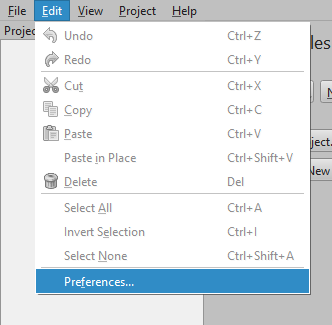
Navigate to the "edit" tab and press 'preferences.'
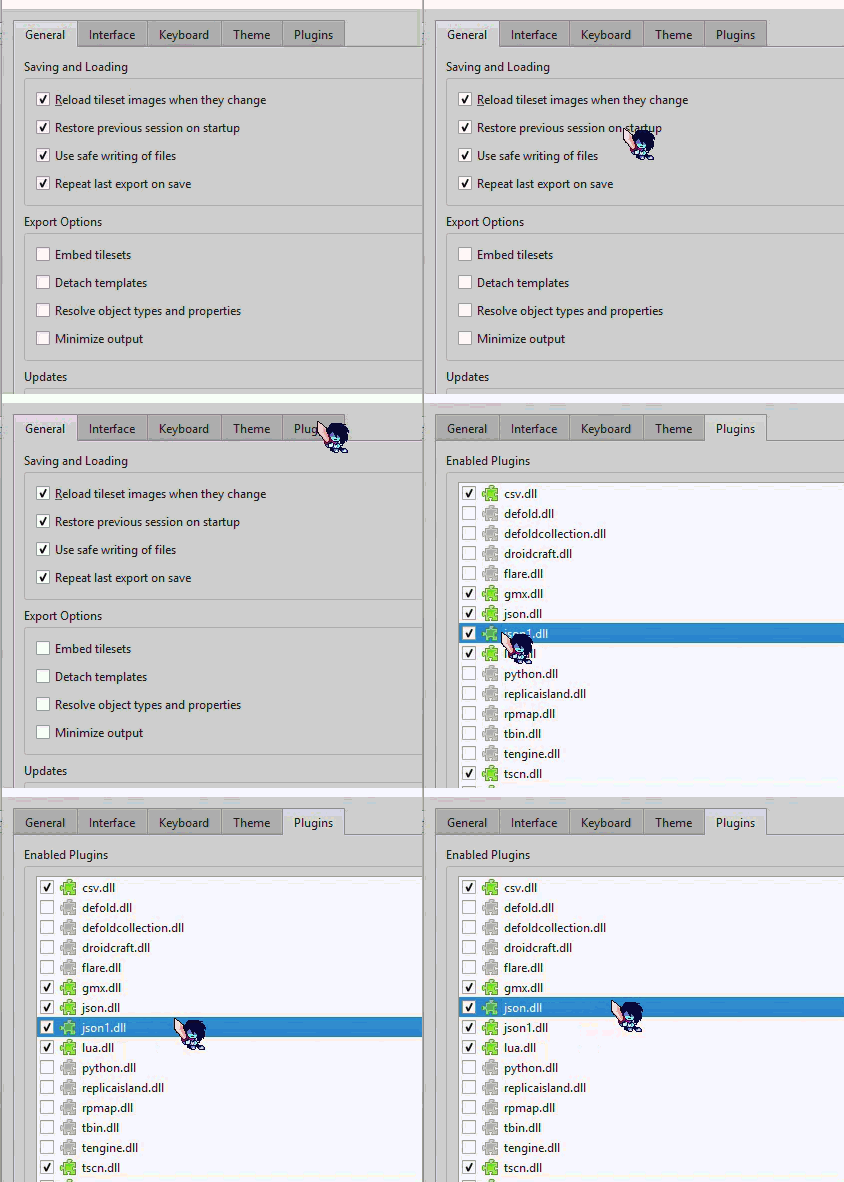
Now, go to plugins, and enable json.dll and json1.dll.
Installing the ESCAPE LIMTEX LABORATORIES extension.
Now it's time to install the extension required to handle exporting maps for the game! This requires a few more steps, and is primarily for Windows.
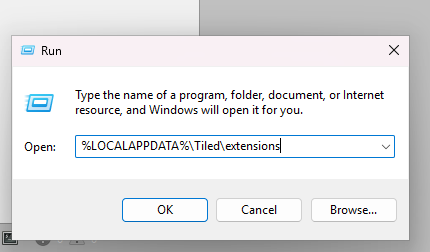
Press + R to open run, and type "%LOCALAPPDATA%\Tiled\extensions".
Next, open a new Windows explorer window and drag the extension to the Tiled extensions folder.
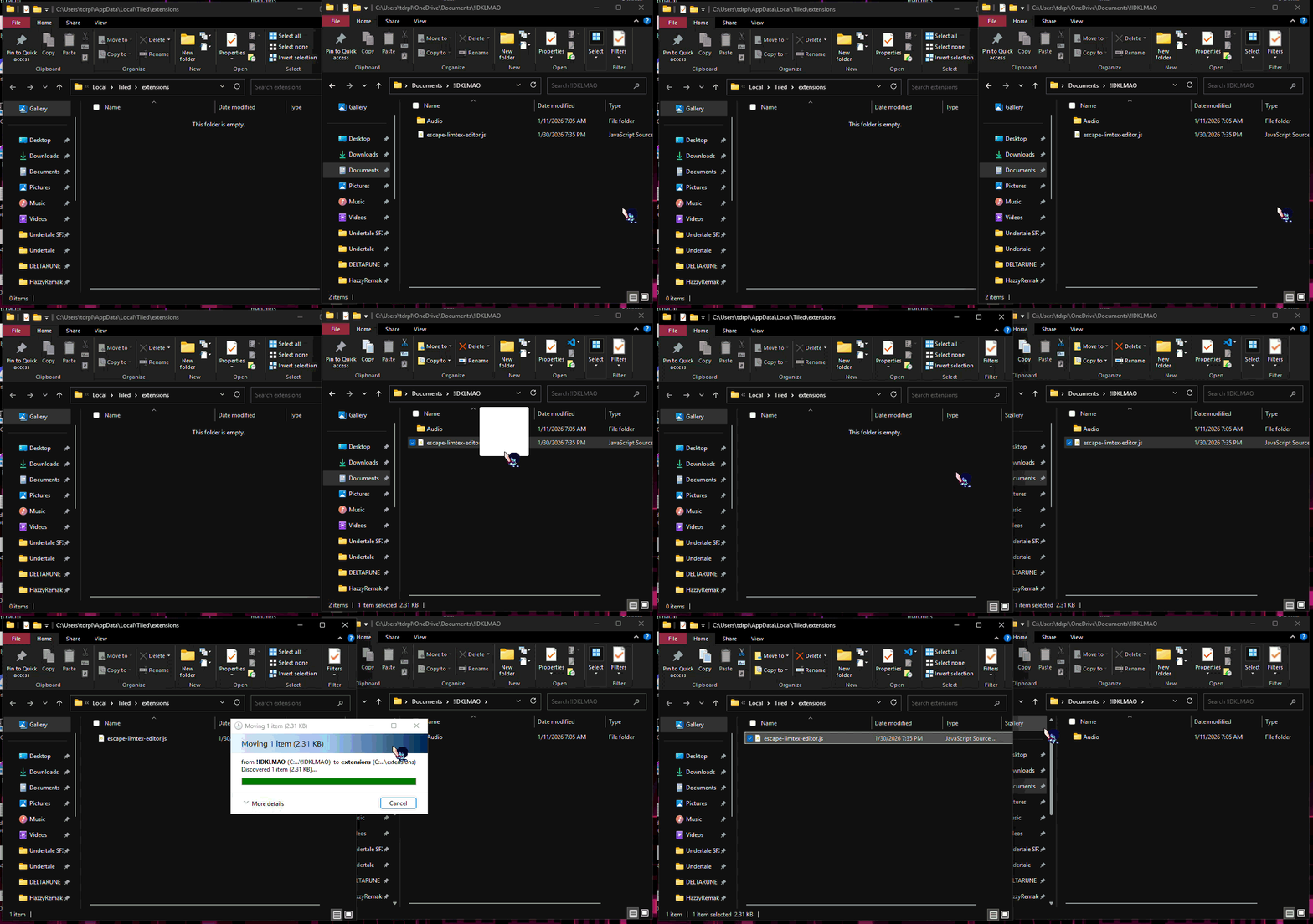
Congratulations! Tiled can now be used to make maps for ESCAPE LIMTEX LABORATORIES!
Building a map in Tiled
Now it's time to get ready to build a map for Tiled, it's recommended you read Tiled's official documentation on their website.
It is important to note the level editor ONLY supports tile and object layers, and the native tiles packaged with the tileset.
Trigger parameters
Some tiles require to be an object, and require specific data to function. Any tiles with a "DATA" tag on them in the tilset are tiles that require to be an object.
Tip: To make a tile adhere to the grid, hold CTRL! Also make sure the object is a tile object.

SIGN TRIGGER
This trigger is mainly used for displaying text, this isn't recommended for use since it only supports certain text hard-coded in the current version of the game you're running, and not custom text.

ENEMY SPAWNER
This trigger is a very important trigger since it allows you to spawn and render an enemy! Currently as of v0.6.3, the following enemy types can be used with the trigger. (Case sensitive)
- lightbropy
- kone

NPC SPAWNER
This trigger allows you to spawn and render any hard-coded NPCs in the game, currently in v0.6.3, you can spawn the following NPCs with these IDs. (ALSO case sensitive)
- dripp_headpat
- yandere_ig

SWITCH TRIGGER
This trigger enables some of abilities of ESCAPE LIMTEX LABORATORIES's trigger system, as it allows you to activate any ID-activated objects and triggers.

DOOR SPAWNER
This trigger allows you to spawn and render a door, that can be opened using triggers. If you want to change the direction the door moves in, use the follow terms in the switch's ID. (Guess what? Case sensitive!)
- down
- left
- right
UP is ignored, since it's the default direction.

ITEM SPAWNER
With this trigger, you can spawn a one-time use item. Currently as of v0.6.3, you can spawn the following items with their numerical IDs.
- Grenades (ID #001)
- Medkit (ID #002)
- Fruit (ID #003)
- Cone (ID #004)
- Strange Syringe (ID #005)
- Box (ID #006)

MONEY TRIGGER
It's pretty self-explanatory, you type in a number, this spawns a money object that gives you that amount of money.